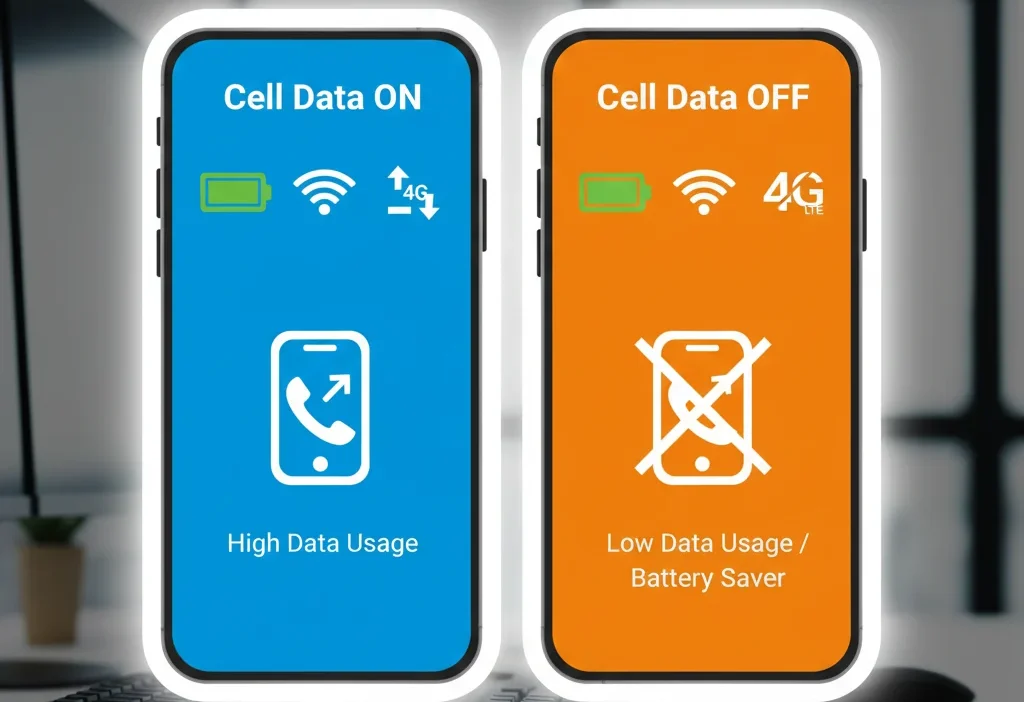
Most people switch cell data on or off without knowing what really happens behind the scenes. But choosing the wrong option can drain your battery, waste your mobile data, slow your phone, or even stop your apps from working. This simple guide will make everything crystal clear — even for a complete beginner
People often get confused about whether they should keep cell data on or off, especially when trying to save battery or avoid extra charges. You’ve probably seen a notification saying “Cellular Data Is Turned Off,” or apps refusing to load unless you turn data on. But what do “cell data on” and “cell data off” actually mean?
In this simple, friendly guide, you’ll learn the meaning, the difference, and the correct usage of both options. We’ll use everyday examples, comparison tables, and clear explanations. By the end, even a 4th-grade student will understand when to keep cell data on, when to turn it off, and how to avoid common mistakes. Let’s make smartphones easy!
What Does “Cell Data On” Mean?
When cell data is ON, your phone uses your mobile network (SIM card) to connect to the internet. This allows you to use apps even without Wi-Fi.
In Simple Words:
Cell data ON = your phone is using your mobile internet.
Part of Speech:
This is not a traditional “word” — it is a phone setting meaning “mobile internet is active.”
Examples:
- You open YouTube outside — it plays because cell data is on.
- WhatsApp messages arrive even when you’re not on Wi-Fi — that’s because cell data is on.
- Google Maps works while traveling — thanks to cell data on.
Mini Story:
Imagine cell data is like a water tap.
If the tap is open, water flows — just like the internet flows into your phone.
What Does “Cell Data Off” Mean?
When cell data is OFF, your phone does not use mobile internet. Apps that require internet will stop working unless Wi-Fi is available.
In Simple Words:
Cell data OFF = no mobile internet.
Part of Speech:
A phone setting, meaning “mobile internet is disabled.”
Examples:
- Instagram won’t load without Wi-Fi — because cell data is off.
- Your phone shows messages only when you reach home Wi-Fi — cell data is off.
- You save data and battery — because mobile internet is off.
Mini Story:
If the tap is closed, no water flows — that’s cell data OFF.
The Key Difference Between Cell Data On and Off
| Feature | Cell Data ON | Cell Data OFF |
|---|---|---|
| Internet Access | Works everywhere (mobile network) | Only works on Wi-Fi |
| Battery Usage | Higher | Lower |
| Data Usage | Uses your mobile data plan | Uses zero mobile data |
| App Performance | Apps work anytime | Apps work only with Wi-Fi |
| Best For | Travel, outdoor use, messaging | Saving data, saving battery |
Quick Tip to Remember
If you need internet outside Wi-Fi → Turn cell data ON.
If you want to save battery or avoid extra charges → Turn cell data OFF.
Common Mistakes and How to Avoid Them
❌ Mistake 1: Thinking Wi-Fi and Cell Data Are the Same
Incorrect: “I turned Wi-Fi off so I turned cell data off too.”
Correct: Wi-Fi is free internet. Cell data uses your SIM plan. They are different.
Why it happens:
People assume both give internet, so they think they work together.
❌ Mistake 2: Leaving Cell Data On While Sleeping
This wastes battery and allows background apps to use data.
Fix:
Turn on “Low Data Mode” or switch cell data OFF at night.
❌ Mistake 3: Forgetting That Some Apps NEED Cell Data
Maps, ride apps, bank apps, and messaging apps often require active internet.
Fix:
Keep cell data ON when traveling or using apps outdoors.
When to Use Cell Data ON
Use cell data on when you need internet but do not have Wi-Fi.
Best Situations:
- During travel
- In school, college, or office with no Wi-Fi
- For WhatsApp, Instagram, TikTok, YouTube
- For Google Maps navigation
- When waiting for important messages
- For online payments
Example Sentences:
- “I kept cell data on so WhatsApp could deliver messages.”
- “Turn cell data on; the map isn’t loading.”
- “I use cell data on during bus travel.”
- “Keep cell data on for Uber or Careem rides.”
- “Games need updates, so I turned cell data on.”
Memory Hack:
Cell Data ON = “Open the internet tap.”
When to Use Cell Data OFF
Use cell data off when you want to save data, battery, or prevent background usage.
Best Situations:
- At home on Wi-Fi
- When your plan has limited data
- To stop unwanted updates
- During sleep
- When you want to avoid distractions
- To save battery on long trips
Example Sentences:
- “My data plan is low, so I turned cell data off.”
- “Keep cell data off while sleeping.”
- “I use Wi-Fi at home, so I keep cell data off.”
- “To save battery, turn cell data off.”
- “I turned cell data off to avoid background usage.”
Memory Hack:
Cell Data OFF = “Close the internet tap.”
Quick Recap: Cell Data On vs Off
- Cell Data ON = Mobile Internet ON
- Cell Data OFF = Mobile Internet OFF
- Use ON = When you need internet anywhere
- Use OFF = When you want to save data or battery
- ON uses your SIM plan
- OFF only allows Wi-Fi internet
Advanced Tips (Optional but Useful)
1. Origin of the Setting
The phrase “cell data” comes from “cellular network,” meaning network towers that give mobile internet.
2. Using Cell Data in Formal Writing
In tech tutorials, people write:
- “Enable cellular data”
- “Disable cellular data”
These mean the same as “cell data on/off.”
3. Texting & Online Misuse
People often say:
- “My net is off.”
They actually mean: - “My cell data is off.”
4. Why Apps Misbehave
Some apps refresh only on mobile data.
Others refresh only on Wi-Fi.
Understanding this helps avoid confusion.
Mini Quiz
Choose “Cell Data ON” or “Cell Data OFF.”
- You want to use Google Maps outside.
- You have only 100MB left in your plan.
- You want WhatsApp notifications while traveling.
- You are sleeping at night.
- You’re at home connected to Wi-Fi.
(Answers: ON, OFF, ON, OFF, OFF)
FAQs
1. Should I keep cell data on or off?
Keep it ON if you need internet outside. Turn it OFF to save battery and data.
2. Does turning cell data off save battery?
Yes. Your phone stops searching for mobile internet, which saves power.
3. Can I receive calls with cell data off?
Yes. Calls and SMS work even when cell data is OFF.
4. Why do apps not load when cell data is off?
Because they require internet. Without Wi-Fi or cell data, apps cannot refresh.
5. Is cell data the same as Wi-Fi?
No. Wi-Fi is local internet. Cell data comes from your mobile network provider.
Conclusion
Choosing cell data on or off becomes easy once you understand what each option does. Cell data ON helps you stay connected anywhere, while OFF helps save battery and prevent unwanted data usage. Now you know exactly when to use each option — at home, outside, traveling, or working. Keep practicing these simple rules, and soon managing your phone’s data settings will feel natural and effortless.
Improve a little every day, and technology will never confuse you again!

Francis Sufford crafts thoughtful, insightful explanations on language, meaning, and usage, blending clarity with storytelling to guide readers effectively.